

Public Camera Streaming Url
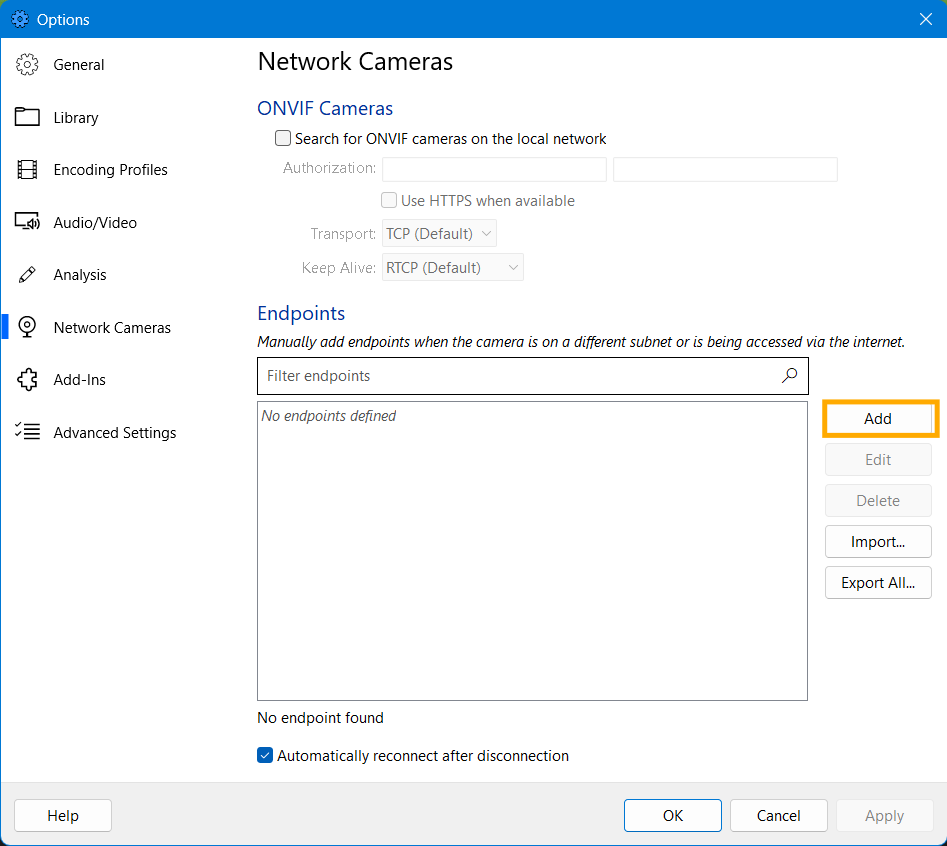
Open Tools > Options, open the Network Camera panel, click Add
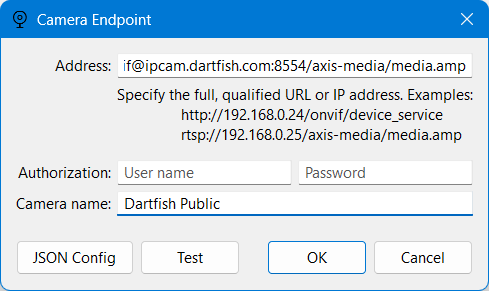
Paste the following URL in Dartfish
rtsp://viewer:TradHsif@ipcam.dartfish.com:8554/axis-media/media.ampTest the camera with FFMPEG
If not already installed, install FFMPEG by entering the following command a Windows Terminal.
winget install ffmpegTest the stream by entering the following command:
ffplay -rtsp_transport tcp rtsp://viewer:TradHsif@ipcam.dartfish.com:8554/axis-media/media.amp